 Print Now
DoPrint › Print from your phone
Mobile printing · No app neededPrint from your phone
No laptop, no USB stick, no sending files to a shop on WhatsApp. At a DoPrint kiosk you print straight from your phone in about a minute.
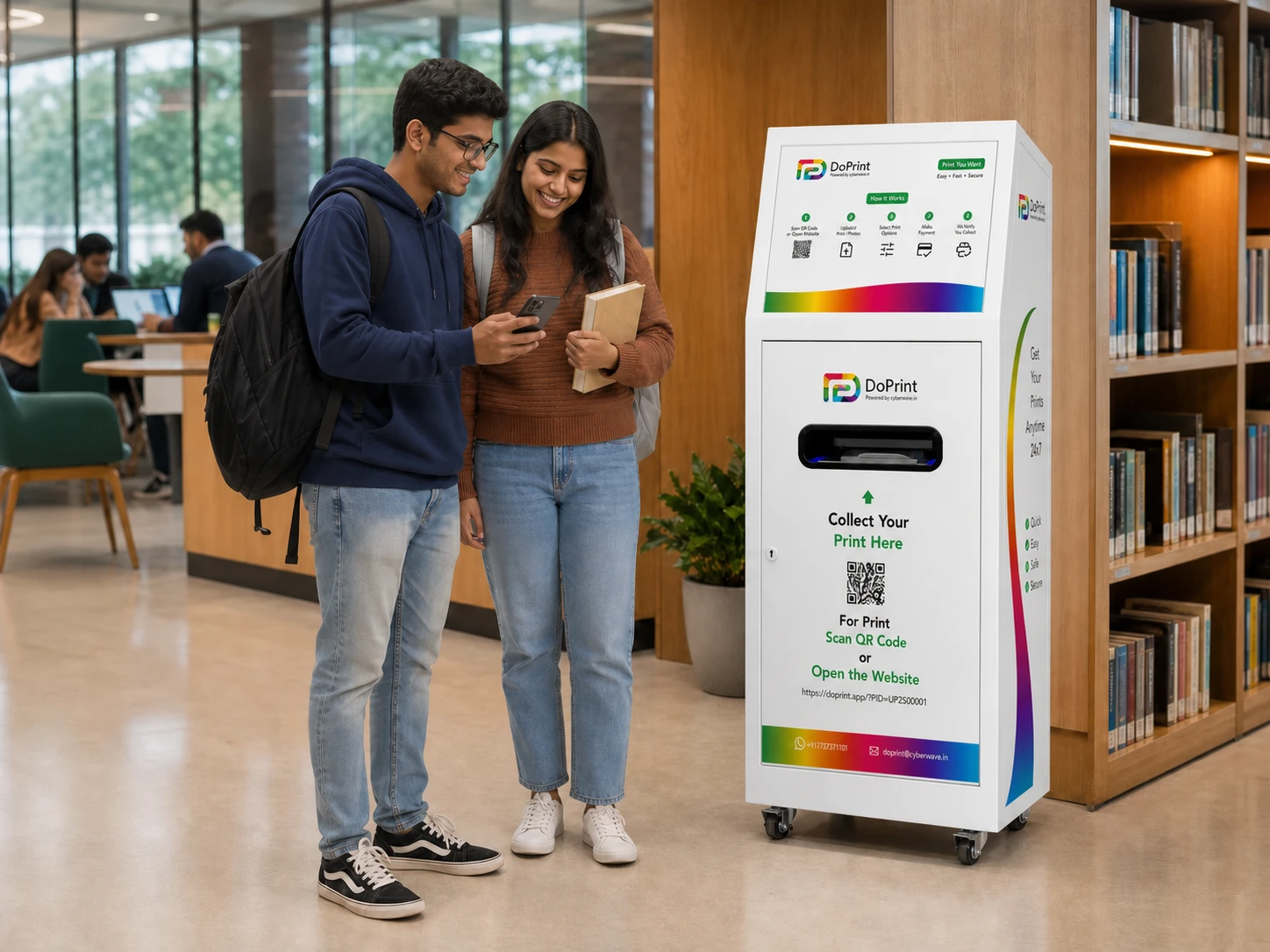
How to print a document from your phone
- Scan the QR code on the kiosk with your phone camera.
- Upload a PDF, Word file or photo. No app or login is needed.
- Choose black & white or colour, copies and pages.
- Pay by UPI or card.
- Collect your print, usually in under a minute.
Works on any Android phone or iPhone with a camera and a browser.
Print PDFs, Word files and photos
Upload PDFs, Word documents and images (JPG, PNG). You can choose which pages to print, the number of copies, and black & white or colour. Photo prints on photo paper are available at most kiosks.
Your file is deleted after printing
Unlike sending a file to a print shop on WhatsApp or email, DoPrint never keeps your document. It is uploaded over an encrypted connection and permanently deleted once the print completes.
Find a kiosk
DoPrint is live at 50+ colleges, residential societies and malls. See all locations ↗
Frequently asked questions
How do I print from my phone without a computer?
Go to a DoPrint kiosk, scan its QR code, upload the file from your phone, pay by UPI and collect the print.
Do I need an app to print from my phone?
No. The QR code opens the DoPrint web app in your browser.
Can I print a PDF from WhatsApp?
Yes. Save or share the PDF to your phone's files, then upload it at the kiosk.
How long does it take?
Usually under a minute from scanning to collecting your print.
Want a DoPrint kiosk at your college, society or venue? Call +91 99177 38101, email doprint@cyberware.in or message us on WhatsApp.